
Store
Open Media Backup
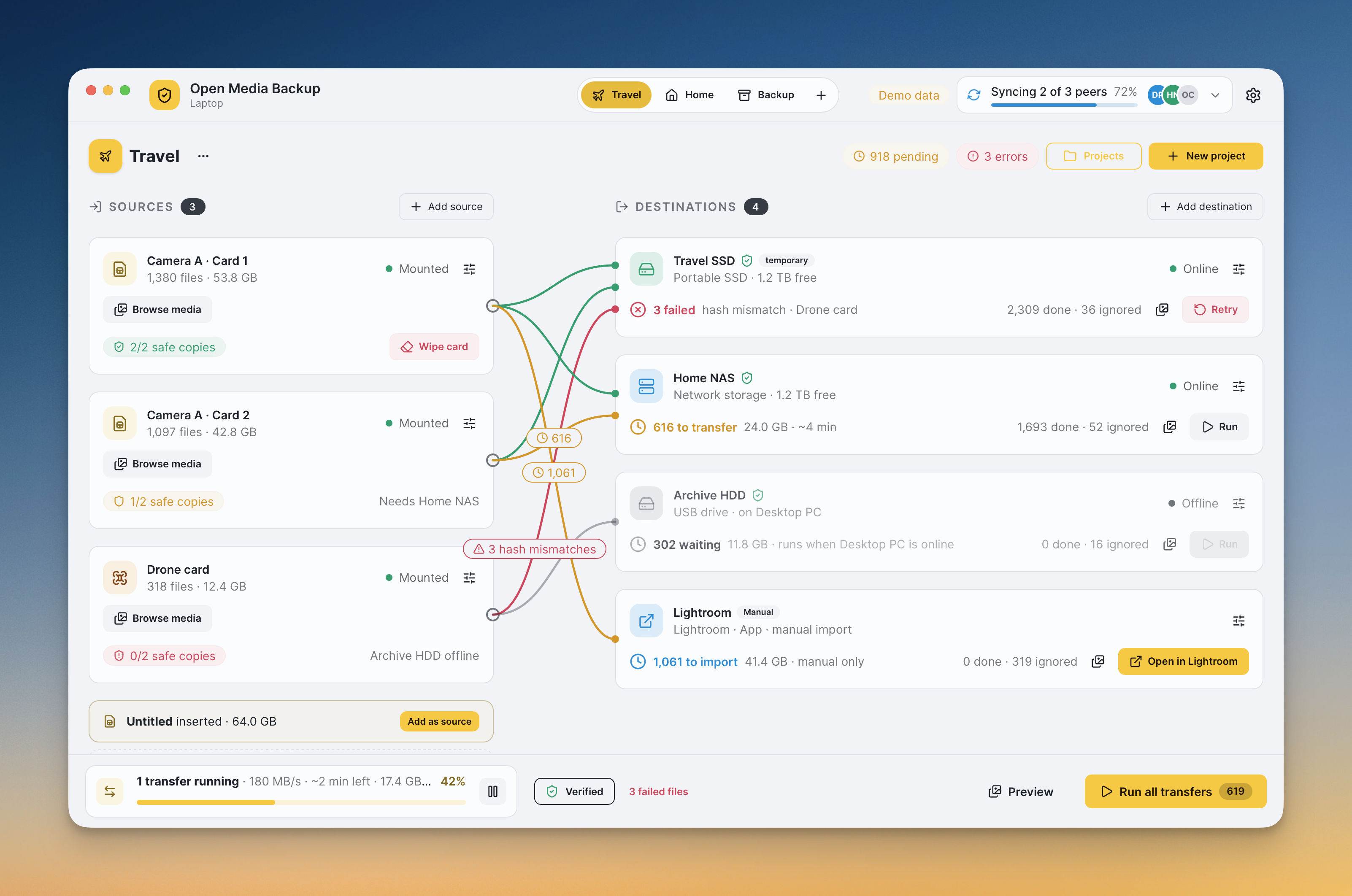
Open Media Backup is a backup software built for photographer, videographers and content creators and anyone else that is tired to deal with complicated backup software. It has a beautiful interface and lots of features for custom backup workflows.
Why I created this project?
The answer is simple: I was annoyed that backing up my photos & videos was so complex and I never really knew if I was going to do something I shouldn't when formatting my memory cards. In other words, I wanted something that didn't cause so much stress to know where was my media.
Why not use an existing solution?
I tried so many backup solutions in the past (free and paid) and they quite worked like I wanted them to work. One big issue is that none of the solution would allow me to know if the a card was actually safe to wipe. This is because I might be transferring the files to my NAS, computer or even another application like Lightroom and no software could track if all the files were saved in a final destination safely. Add to that I usually have a different flow while traveling and might use a Windows or Mac laptop to do the backups and this felt like an impossible task to solve.
So for the last few years, I just did everything manually.
Features
I probably won't be able to cover all the features I added but here are some of the most important or interesting ones.
#1. Spaces
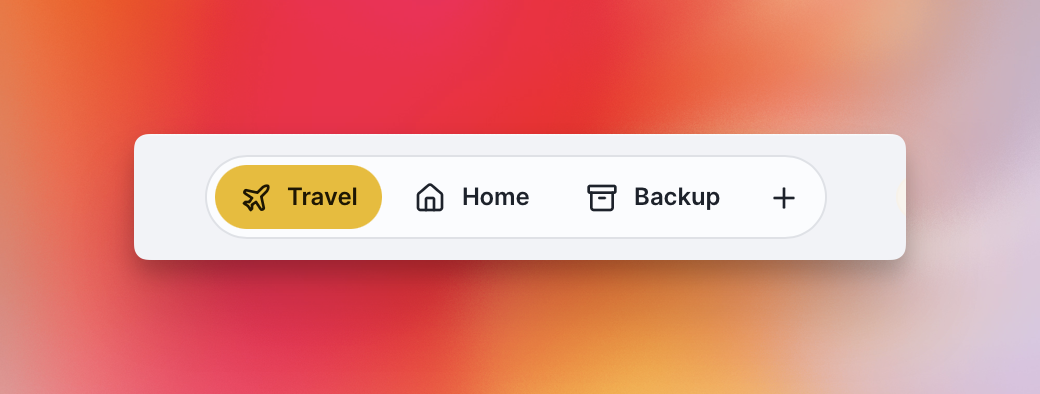
The base of the app are Spaces. Each Space allow to define a set of flows (source to destinations). These are very important because depending on the situation, the backup and transfer flows might be different.
For example, when I'm traveling I want to create backup to my local device and multiple SSD/HDD but at home I want to backup the files to my NAS directly. For me, I would have different flow when traveling, at home or for final backups.
#2. Visual Links
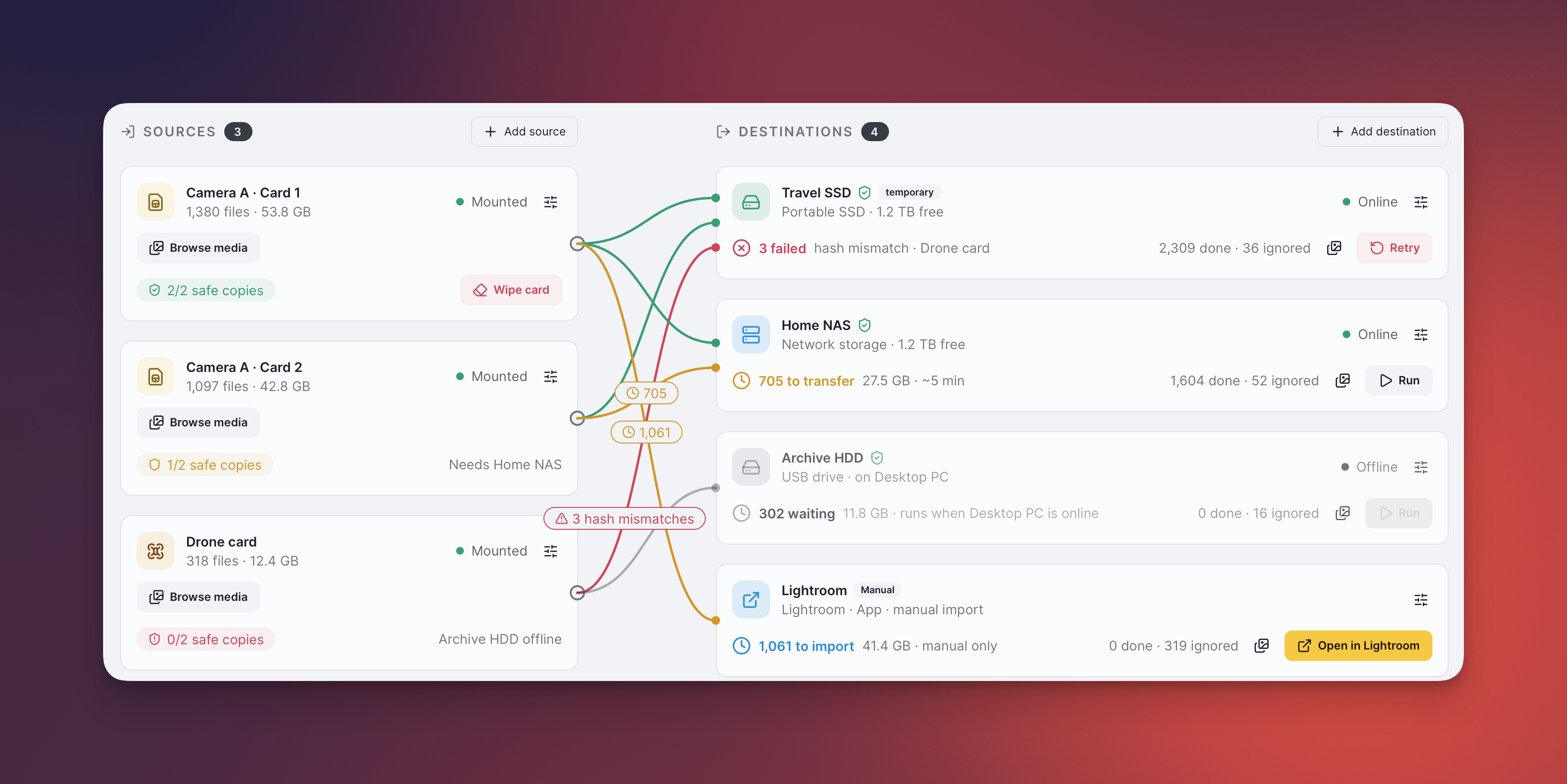
From my experience, it can be hard to know where the data will be transferred to. I created visual links between the source and destination to allow an easy visual validation of the flows. The color coded lines allow to quickly know if all media has been transferred, what is pending a transfer and where there was an issue.
It also keeps offline sources and destination in the flow so it can be easy to know which devices needs to come online to complete a transfer.
#3. Projects
Each Space can contain multiple Projects, such as a shoot or a trip. A Project provides the values for that job's variables, so folder templates can automatically use details like the project name without changing the backup flows you have already set up.
#4. Card to final backup tracking
Open Media Backup follows files as they move from a memory card through temporary copies to final storage. It hashes and verifies each copy, then shows what is backed up and what is still pending. You can set how many final destinations each Project requires before its files count as safe.
#5. Safe Format
When every file on a card has been verified on the required number of final destinations, Open Media Backup lets you wipe it. Choose to delete the files or perform a quick format, with the backup status there to help you decide when it is safe to reuse the card.
#6. Multi-Computer Sync
Keep separate computers in sync by exchanging catalog changes over your network. Open Media Backup uses an operation log and resolves conflicting edits per field; each peer connects with a shared token. The app does not provide network discovery or encryption, so the README recommends using a private overlay network such as Netbird.
#7. Application as backup destination
A computer can be a destination just like an SSD or NAS. Map that device to a folder on the computer, then connect it to a source with a flow. This lets you copy to the machine you are working on before sending files onward to other storage.
#8. Complete free!
Open Media Backup is free and open source under the MIT license, so you can use it without a paid plan and inspect or adapt its code.
Whether you are on a trip or back at your desk, Open Media Backup helps you keep track of every copy and know when your memory cards are ready to be reused.